

Looks like Google realized Signals-based thresholding was annoying to everyone:
Google signals will be removed from the reporting identity on February 12, 2024. This change will apply to all of your Google Analytics 4 properties and will only affect reporting features. Google Analytics will still collect Google signals, when enabled, to be used in demographics and interests reporting. Google signals will also still support audience and conversion use cases, like remarketing and conversion optimization in linked Google advertising products.
Update on the missing UTM data in GA4:
As of this morning I can see lower level parameters populating for yesterday (still no data from 11/30 - 12/5).
The key will be if this data is still there tomorrow (or even later today).
[Simone Weil] says to imagine a farmer that goes down to the farmer’s market. He’s gotta BUNCH of chickens. Look at all those chickens. And she says this FARMER…has a LEGAL RIGHT…to SELL his EGGS down at the farmers market for as much as he wants…he has the right to sell them for $20 a dozen if he wants to. He ALSO has the right to go out of business when no one wants to pay $20 for a dozen eggs.
Your customers don’t owe you their fandom. Or even their business.
An important thing for business leaders to hear (cough cough Elon cough)
GA4 Tip: Search Bar Filtering
This is either a nice feature I stumbled on today. Or a bug that will get "fixed" soon. Hard to tell with GA4*.
Easier Data Filtering in GA4
Now for the search bar trick part.
The search bar above the table filters the results (duh, Kyle).
But!
If you change the dimension you're displaying after you use search to filter, it will return only the dimensions that match that filter.
That sentence makes so sense, so let's use pictures.
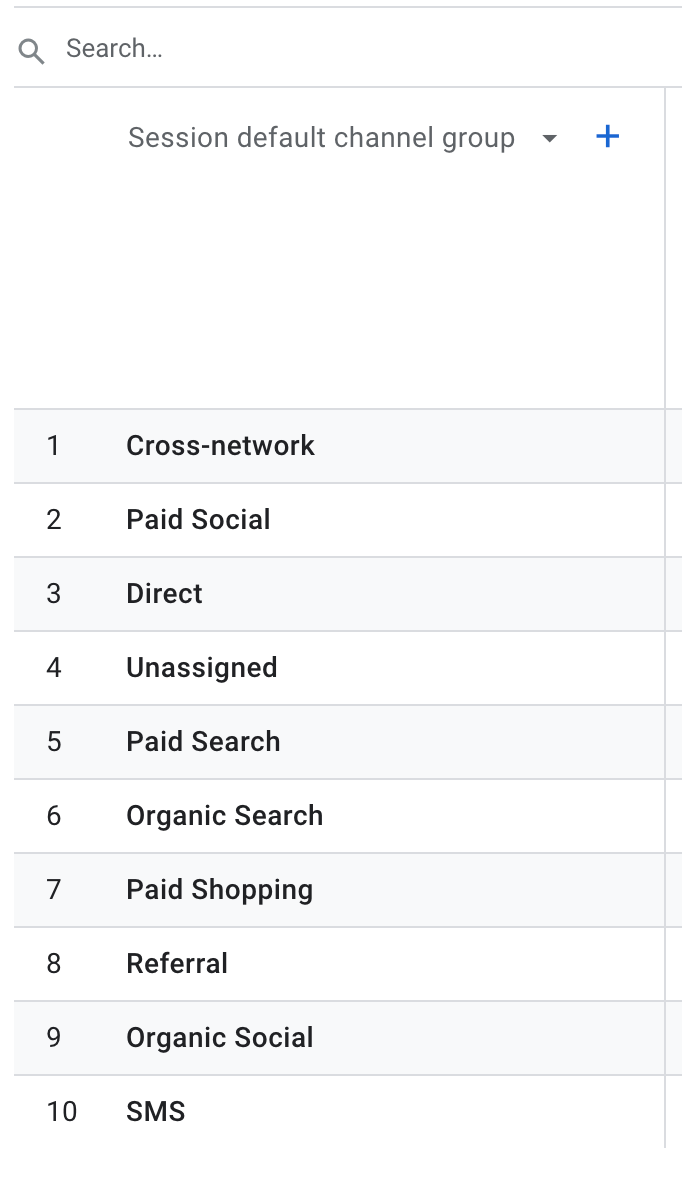
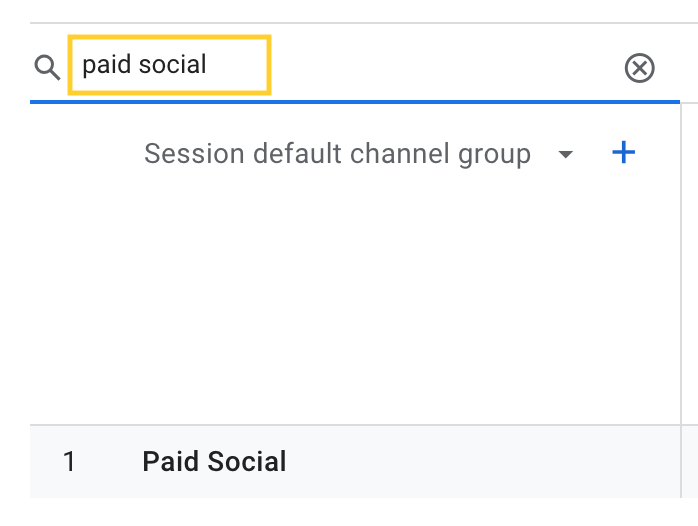

The final table shows us only the Session source / mediums that are present within the Paid Social default channel grouping.
We have Content Groups setup for a client and this filtering trick works the same way there. Letting you narrow to a specific content grouping and then look at page level detail for pages within the group.
How To Find Source / Medium Data in GA4
Not sure where to find your source / medium level data? I got you 👇
 Kyle Mensing
*Remember this...
GA4 is a young platform. Google bought the company they used as the foundation for Universal Analytics back in 2005, that's almost 20 years of development and user experience by the time it sunset.
Google Analytics 4 is built on a toolset that was mobile-only until a few years ago, only hitting Web+App beta in 2019.
You can't compare the two, they're at different life stages. Yes, it feels like GA4 is still in beta sometimes, but that also means new features and functions are being added regularly.
You can lament that it isn't like UA and you have to learn your analytics platform all over again. Or you can level up and future proof yourself.
🚨 GA4 Error Warning
Starting on (roughly) November 30, some UTM data has stopped populating in GA4.
I can’t see anything more granular than campaign level data from my UTM tags. A friend reports the same issue.
It appears the Google team is working on a fix.